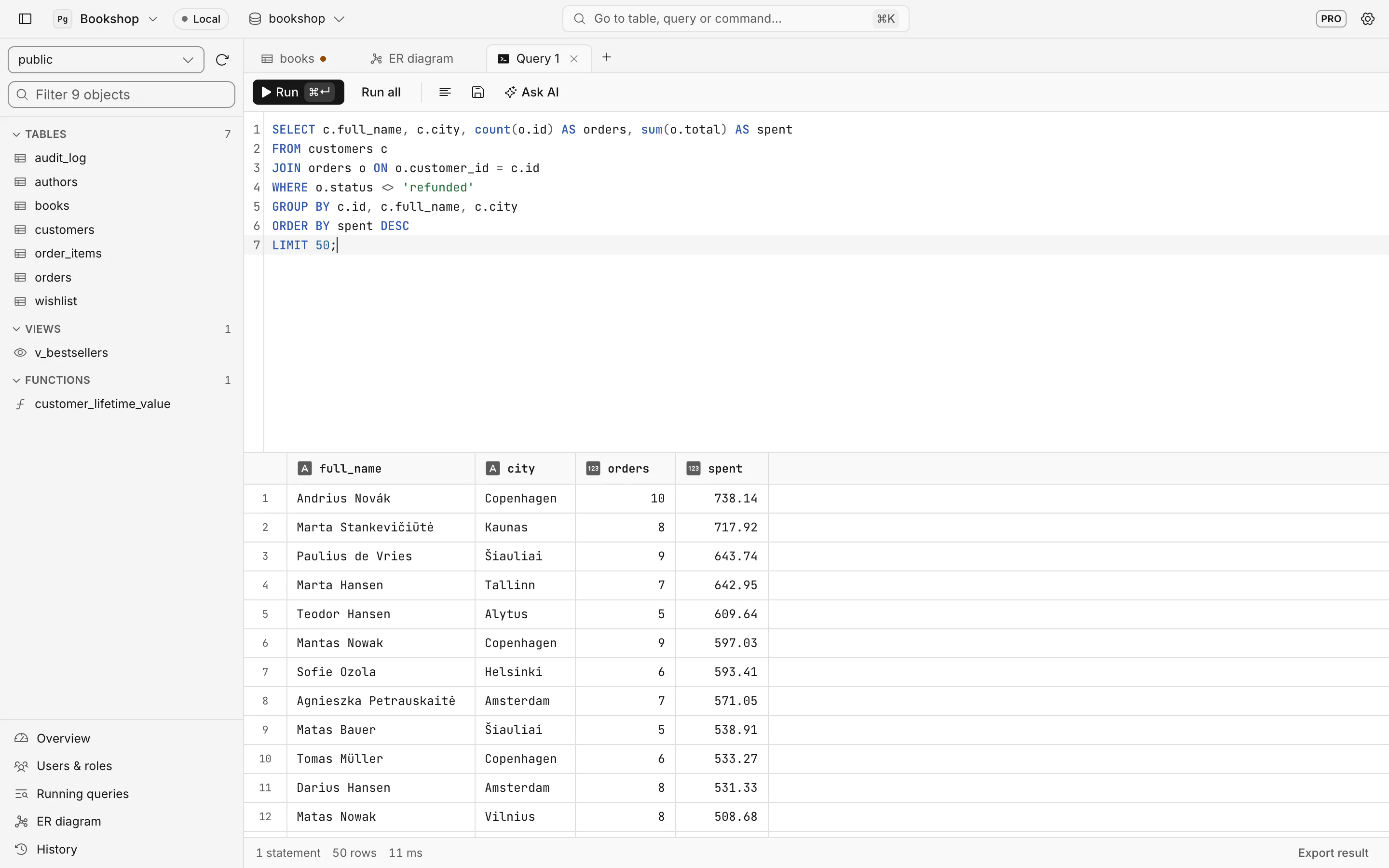
A SQL editor that knows your schema
Autocomplete for tables and columns, one-key formatting, ⌘↵ runs the statement under the cursor, several result sets side by side, errors that say which statement failed. Every run lands in History.
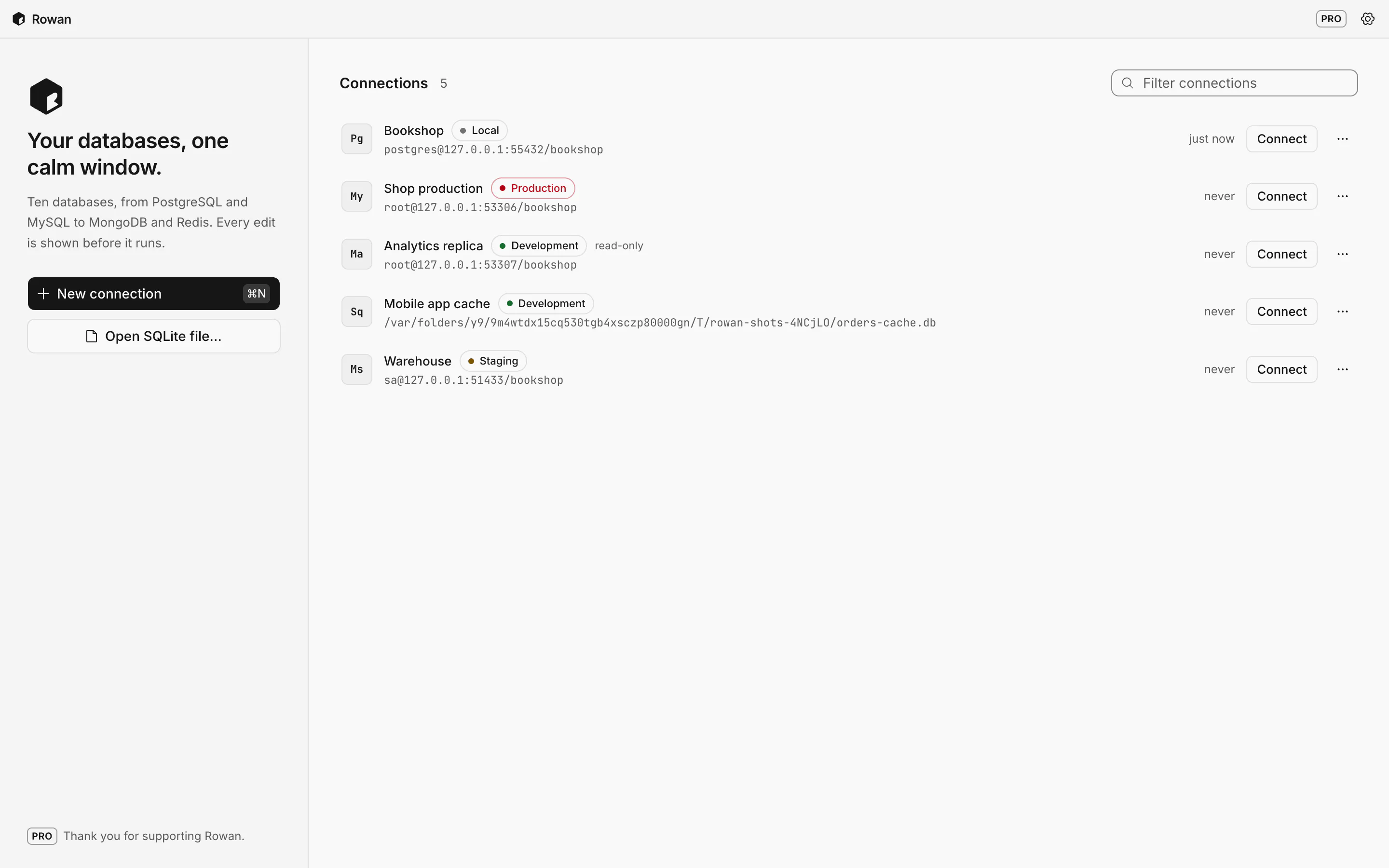
Rowan is a desktop client for ten databases, from PostgreSQL and MySQL to MongoDB, Redis and Cassandra. Change rows in the grid, read exactly what will run, then commit.
Free to use, no account. Pro is €20, once.
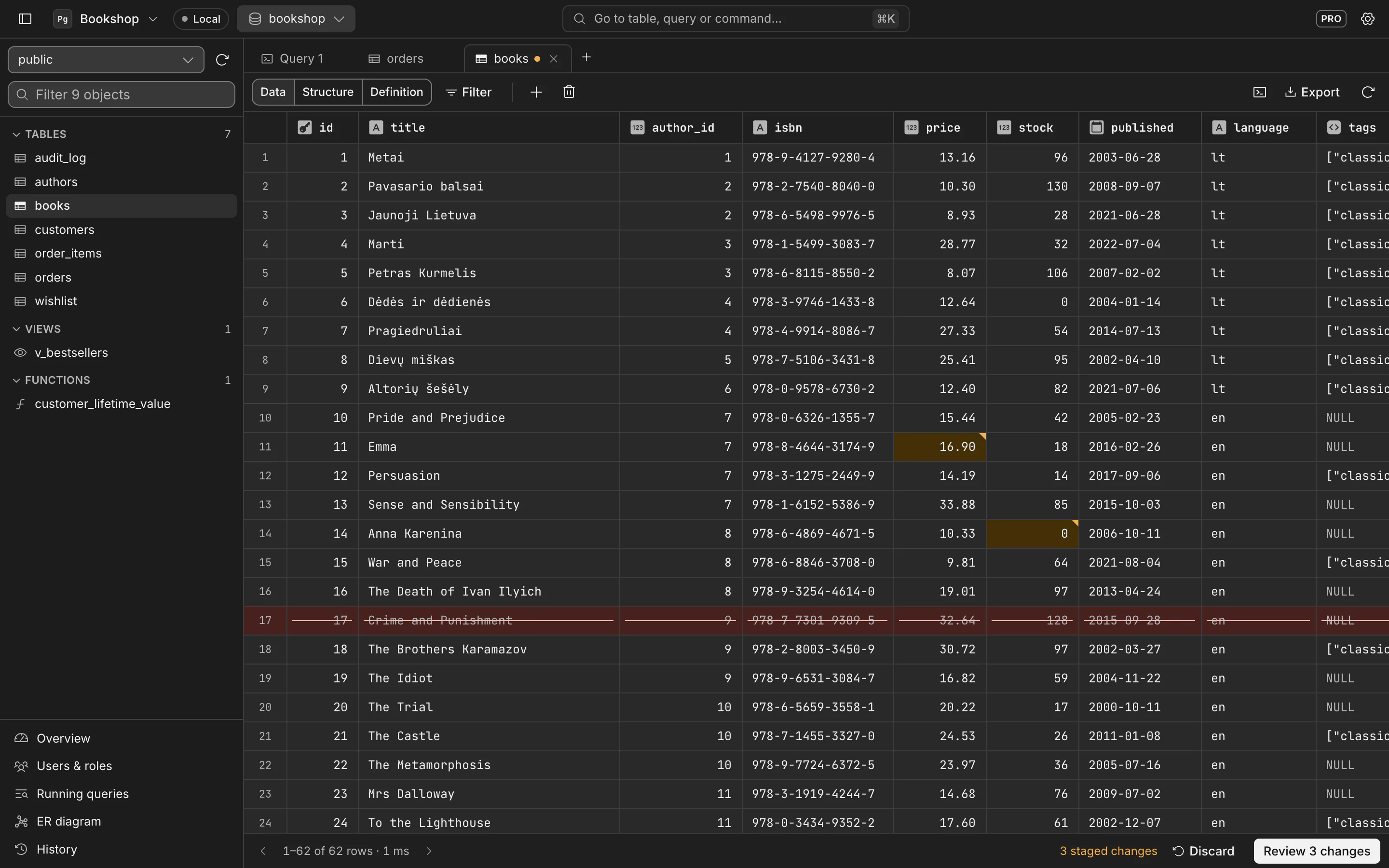
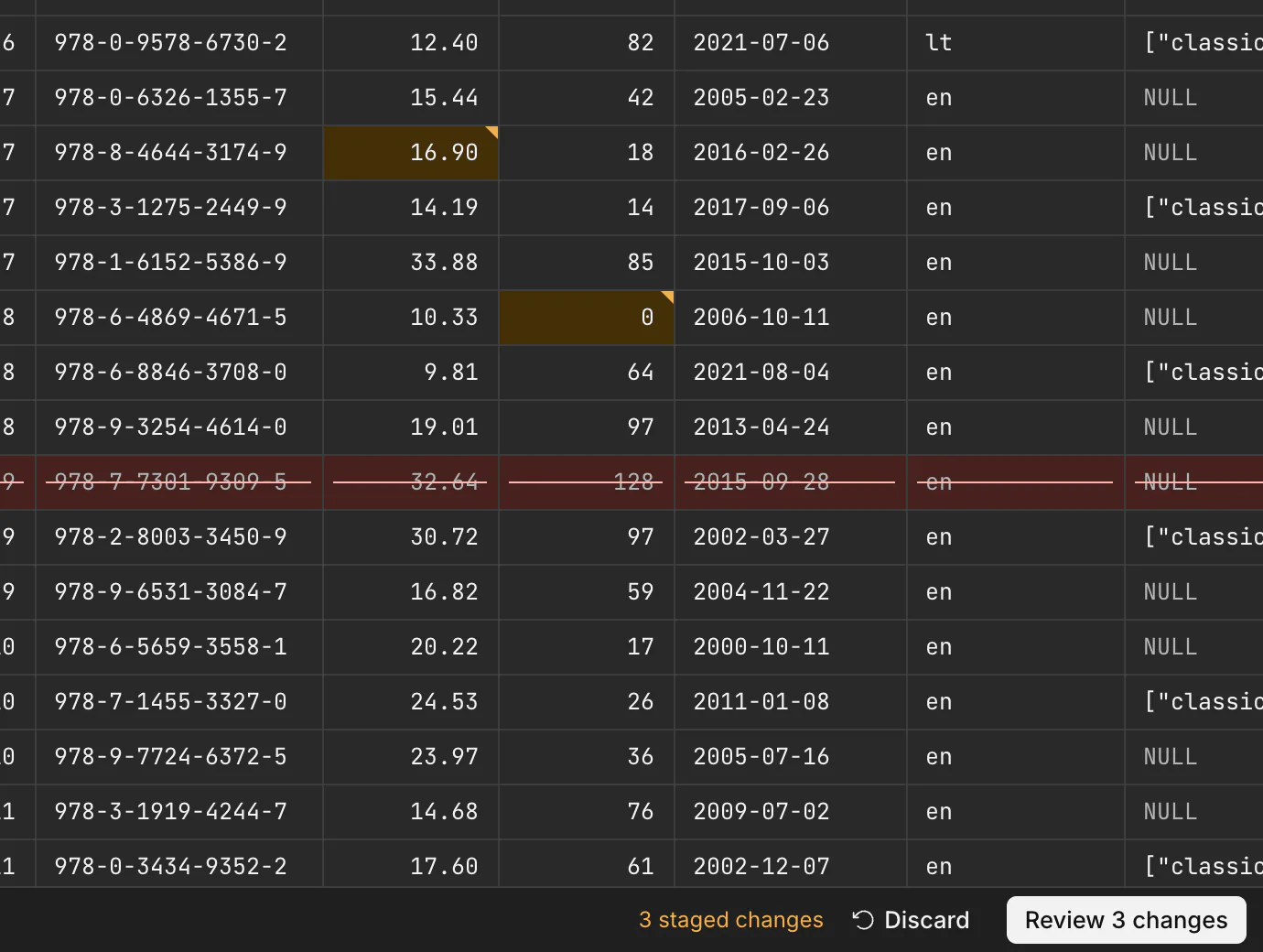
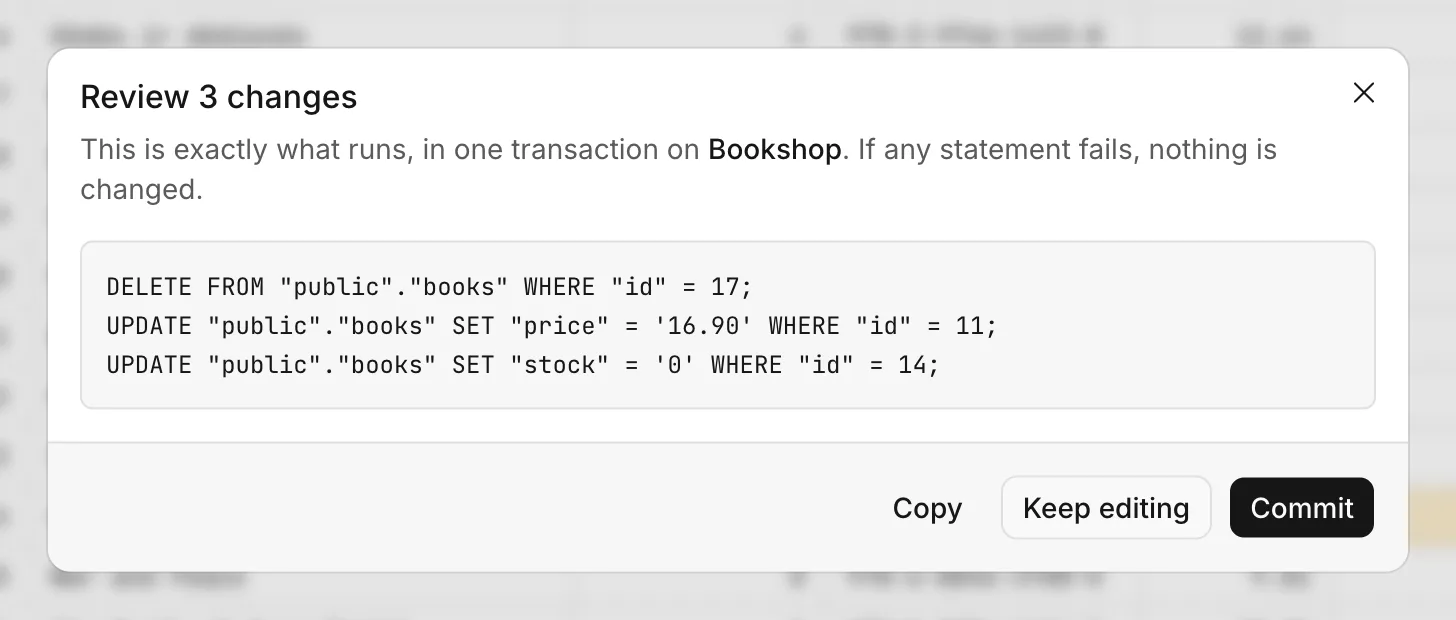
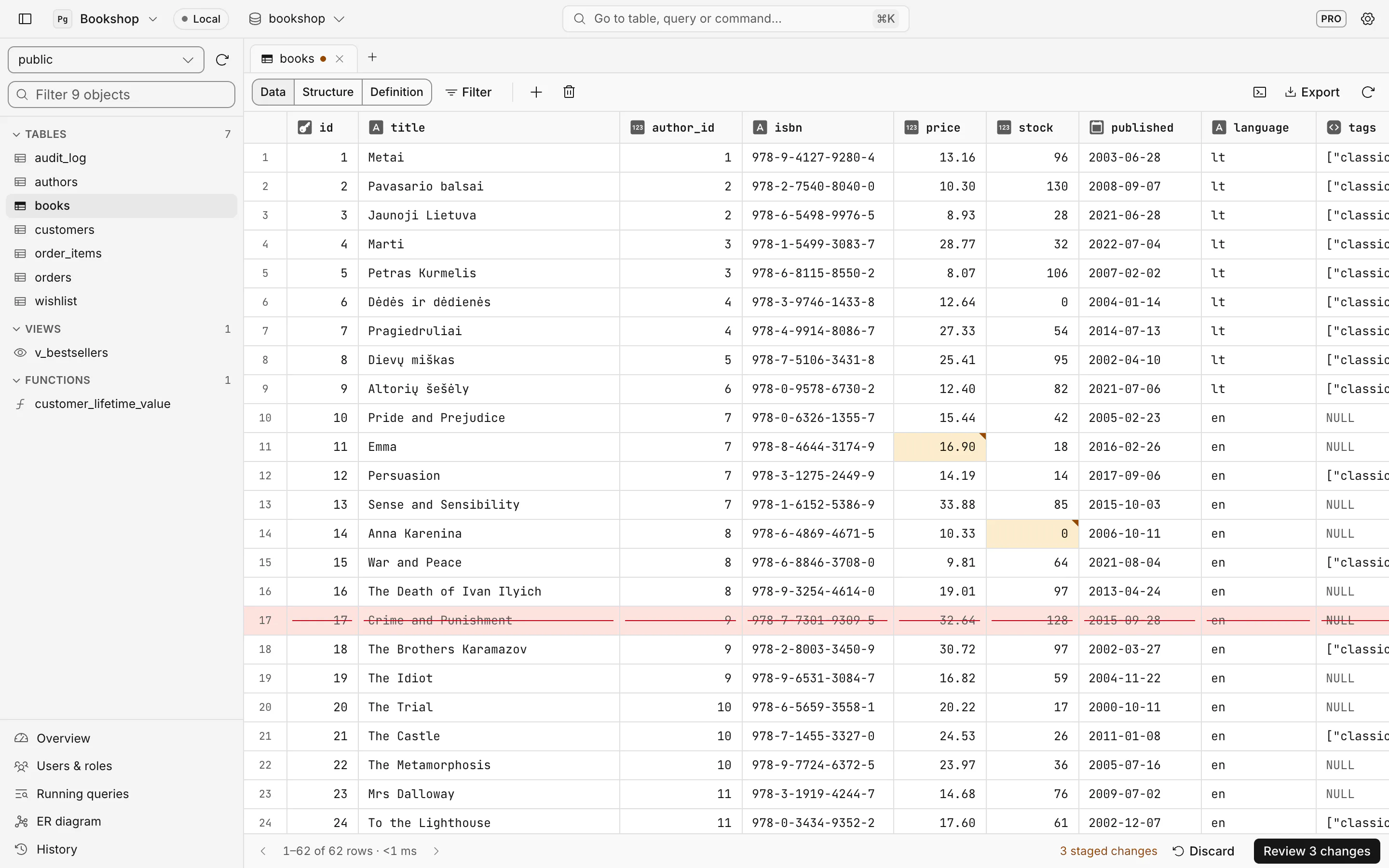
Edits in the grid are staged, not saved. A changed cell gets a corner mark, a deleted row is struck through, a new row has a green edge. When you are ready, Rowan shows the statements it will run.
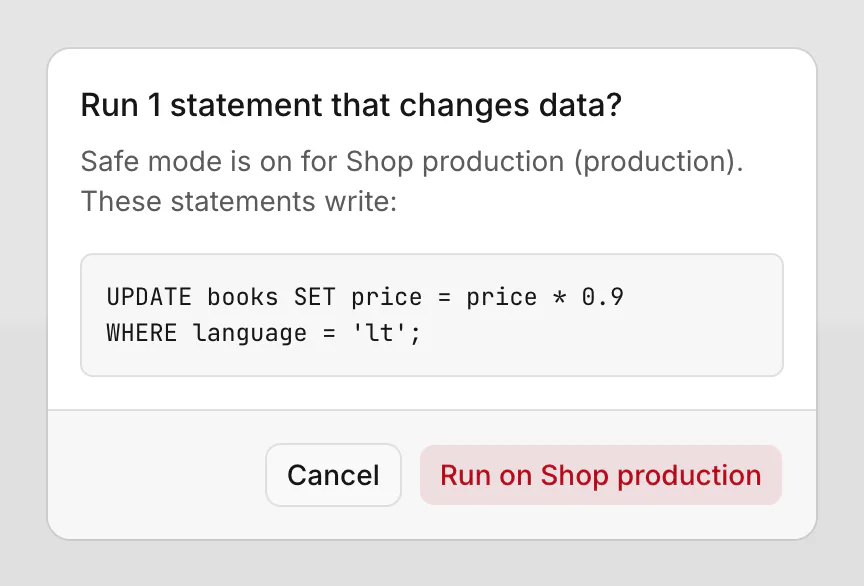
SQL databases get SQL; MongoDB gets shell commands, Redis gets redis-cli commands, Cassandra gets CQL. Paste a connection URL and Rowan fills in the form, and private servers are reached through an SSH tunnel.
PostgreSQL
tested with 17
MySQL
tested with 8.4
MariaDB
tested with 11
SQLite
any .db file
SQL Server
tested with 2022
Oracle
tested with 23ai
CockroachDB
tested with 26.4
MongoDB
tested with 8
Redis
tested with 8
Cassandra
tested with 5
Autocomplete for tables and columns, one-key formatting, ⌘↵ runs the statement under the cursor, several result sets side by side, errors that say which statement failed. Every run lands in History.
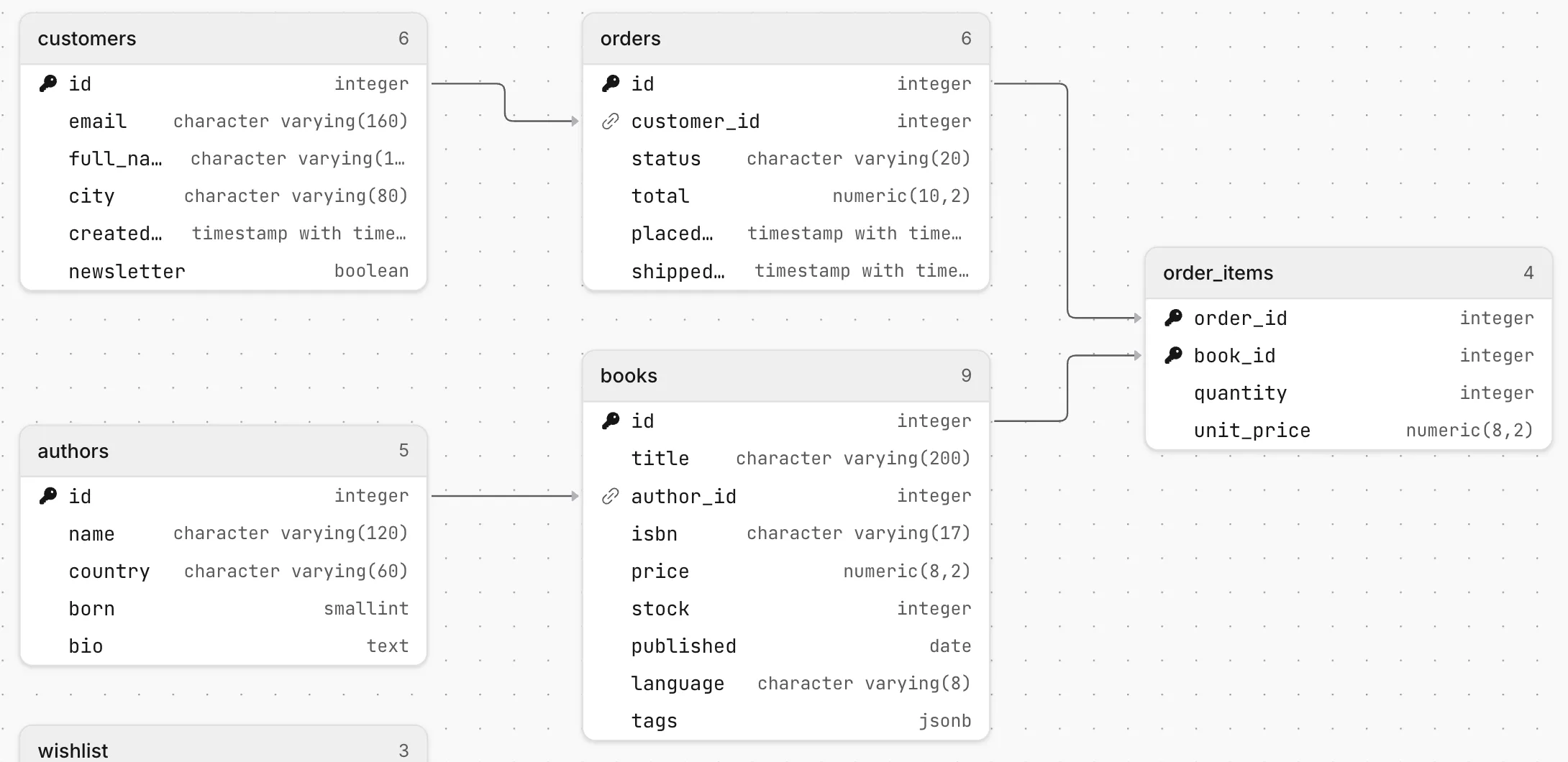
Every table, key and relation in a schema, laid out for you.
Ask in plain words, get SQL for this engine in the editor. Uses your own Anthropic key and sends column names, never rows.
See every user and what it may do. Pro creates, drops and re-passwords them.
Watch what is running right now and stop a runaway query (Pro).
⌘K finds a table, a view, a connection or a command.
Search everything you ran. Save the queries you run every week.
Tables or results to CSV, JSON and SQL inserts. CSV import in Pro.
Columns, types, defaults, indexes and foreign keys, plus the CREATE statement.
No subscription and no account. Pro is a licence key you paste into the app.
€0forever
Every engine, editing with SQL review, the SQL editor, SSH and Safe mode.
€20once, lifetime licence
No limits, plus ER diagram, AI SQL, user management, CSV import and query control.
Secure checkout by Polar. Your key appears right after paying. 14-day refund, see the terms.
| Free | Pro | |
|---|---|---|
| All ten engines, SQL and NoSQL | Yes | Yes |
| Edit rows with a SQL review before commit | Yes | Yes |
| SQL editor, formatting, autocomplete, history | Last 30 runs | Unlimited |
| SSH tunnels, SSL, Safe mode, read-only | Yes | Yes |
| Export to CSV, JSON and SQL | Yes | Yes |
| Saved connections | 3 | Unlimited |
| Tabs open at once | 3 | Unlimited |
| Filter conditions on a table | 1 | Unlimited |
| ER diagram | — | Yes |
| AI SQL assistant (your own Anthropic key) | — | Yes |
| Create and drop users, change passwords | View only | Yes |
| CSV import | — | Yes |
| Stop running queries | View only | Yes |
Download, drag to Applications, paste a connection URL. Rowan Free has no time limit.
What Pro adds